
Clean slate, every day.
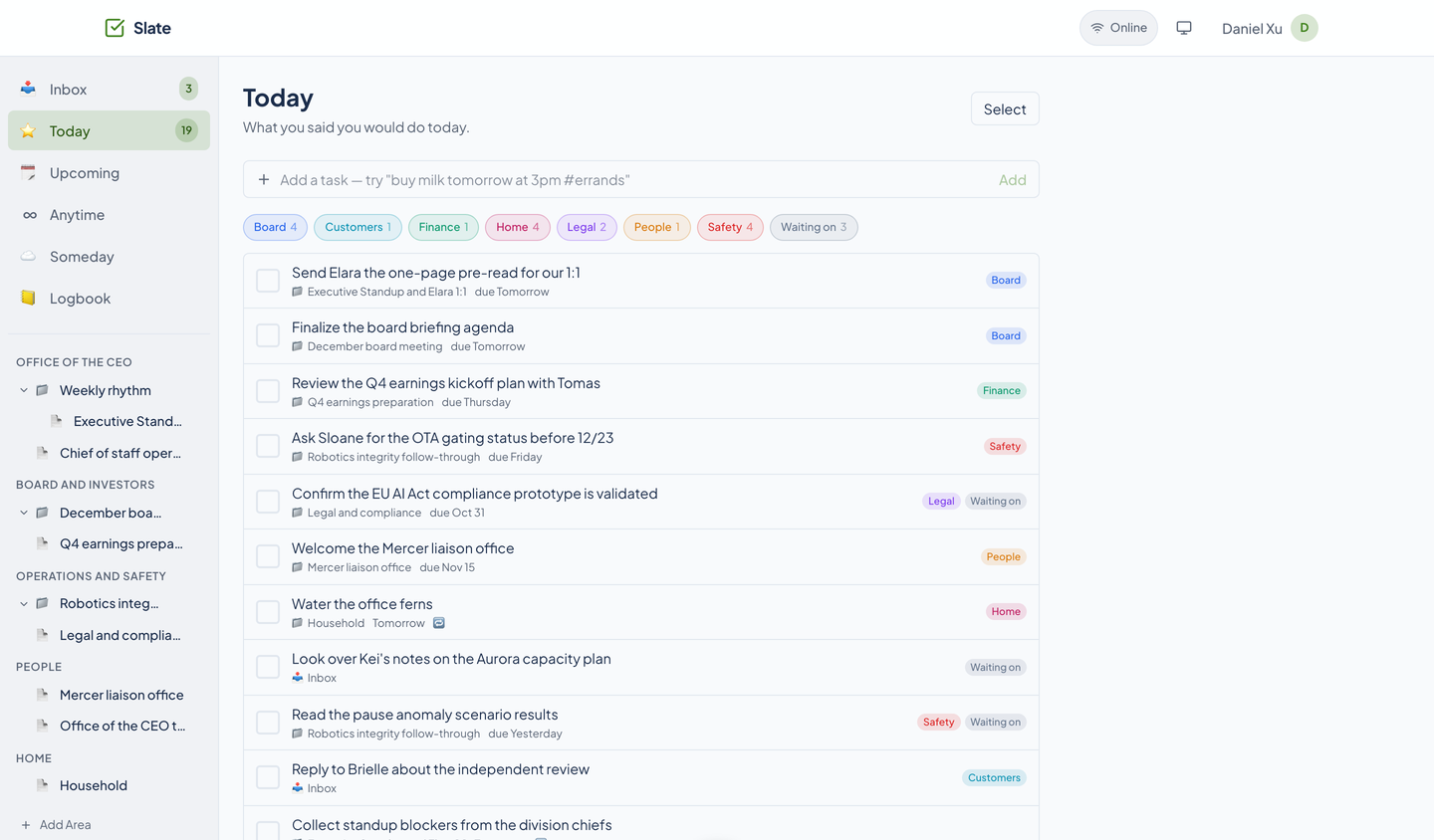
Slate keeps the day short: what you said you would do today, what is coming, and what can wait. Type a sentence and it reads the date and the tag. It is in preview.
- Watch the film · 1:07
- Accessibility documented
- In preview
- 74 agent tools

Keep the day short.
One afternoon of Daniel Xu's December board meeting, followed in Slate: 19 tasks for today and no more, six views, a sentence that becomes a task with a day, a time, and a tag, a repeating task that lines up its own next turn, one project shared with a helper by a link that needs no account, a question answered on the task itself, and 74 agent tools.
Read the film’s text version
Title: Slate. Clean slate, every day. 2026. A bright electronic score in G major runs under the whole film, with a soft tick or hit on each action.
Your whole life, or just today: “Your whole life. Or just today.” Daniel Xu, Chief of Staff at StrataForge Robotics, opens the real Today view, “What you said you would do today.” One mark for each task lands, 19 of them, and the line reads, “that is all.”
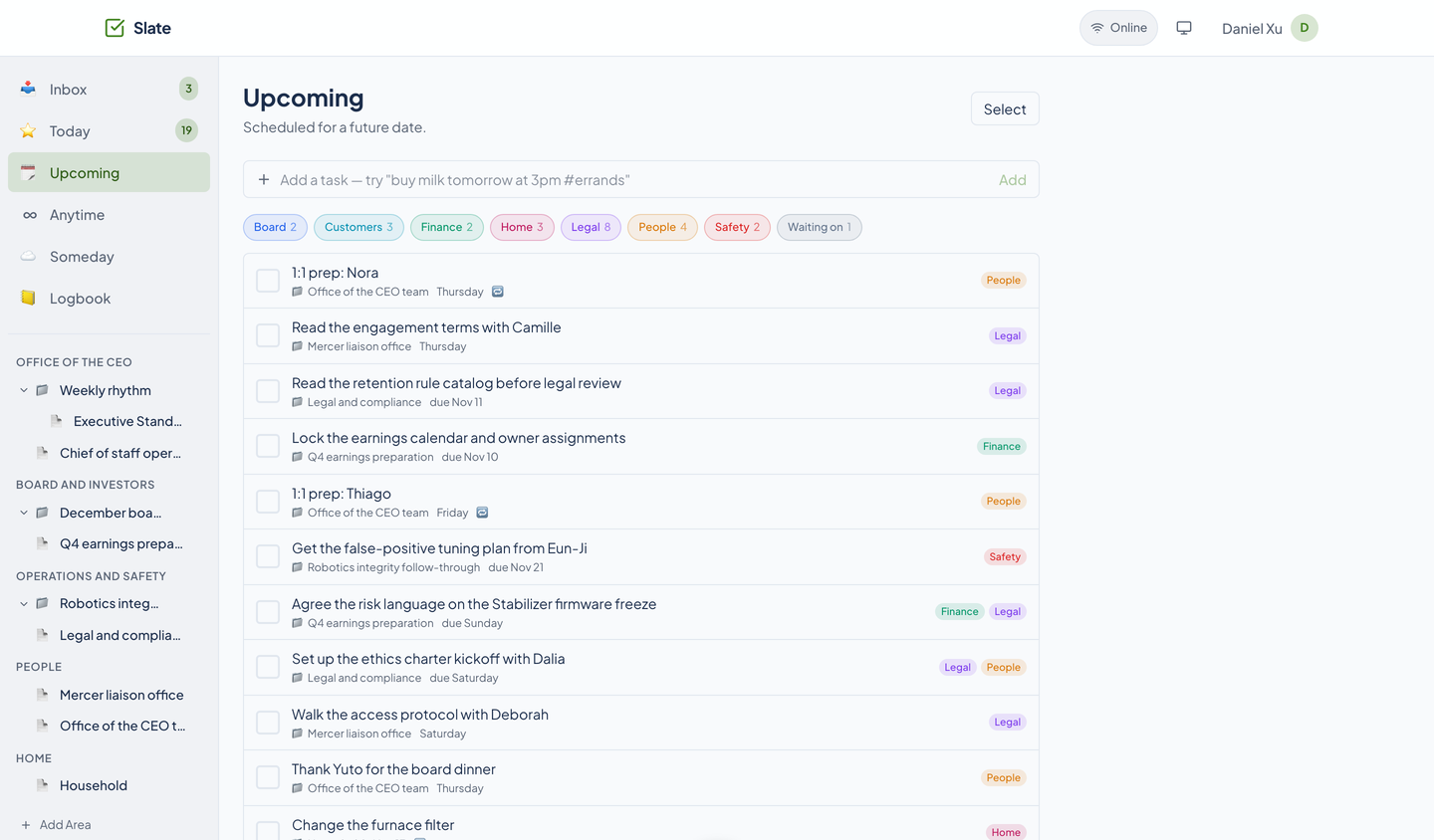
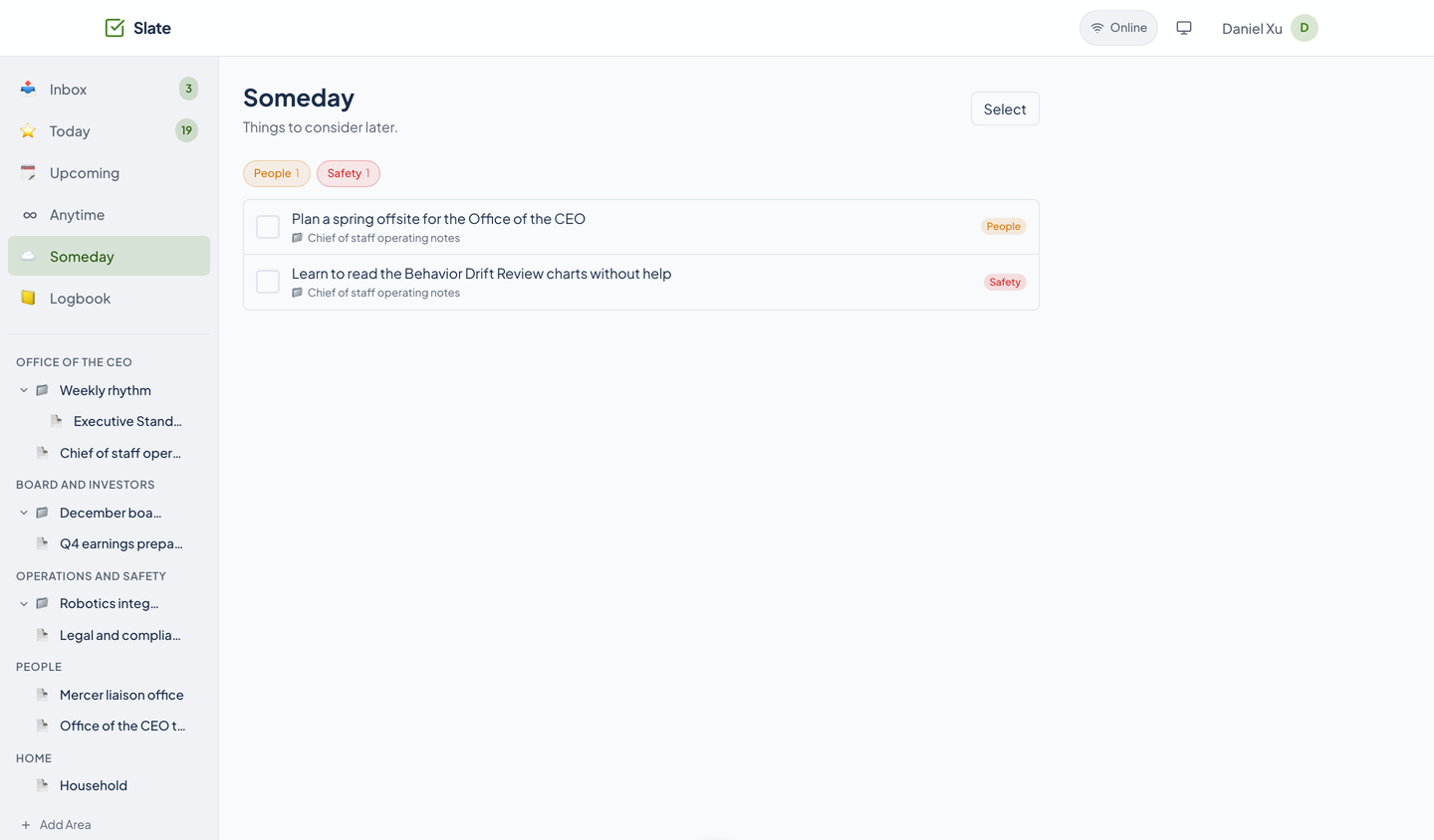
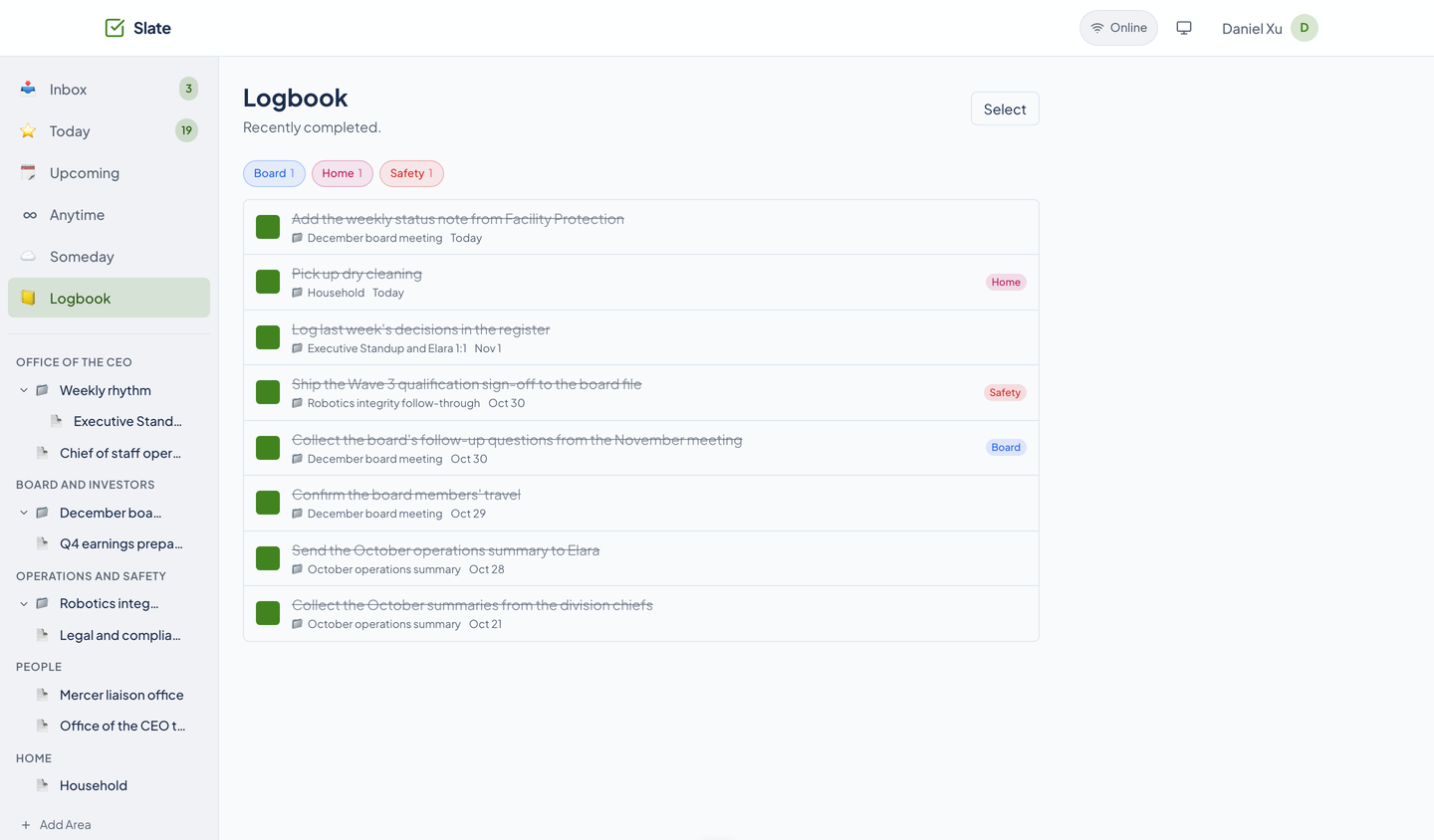
Six views: “Six views. Everything has a place.” Each real sidebar link is ringed in turn, with Inbox at 3 and Today at 19 (Today holds what starts today or earlier, plus undated Inbox tasks), then Upcoming, Anytime, Someday, and Logbook. Upcoming, Someday, and the Logbook cut in with their counts: 25, 2, and 8.
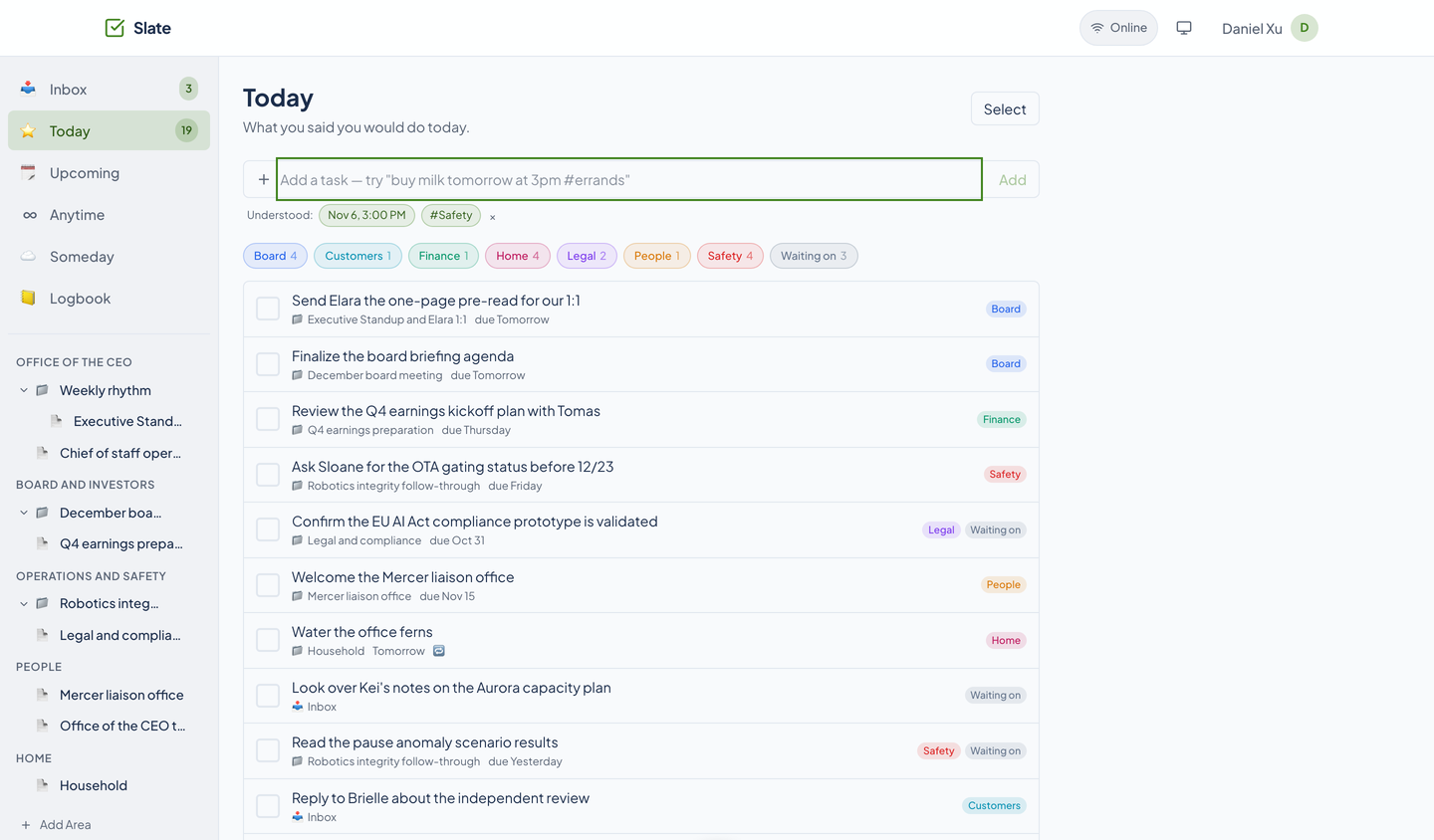
Type a sentence: “Type a sentence.” In the real Quick Add bar a sentence types on: ask Sloane for the gating status next Friday at 3pm, tagged safety. The chip drops on the beat.
It reads it: “It reads it.” Slate's own Understood line is ringed one part at a time: a day, a time of 3:00 PM, and the tag Safety. Three parts read, shown before you move on.
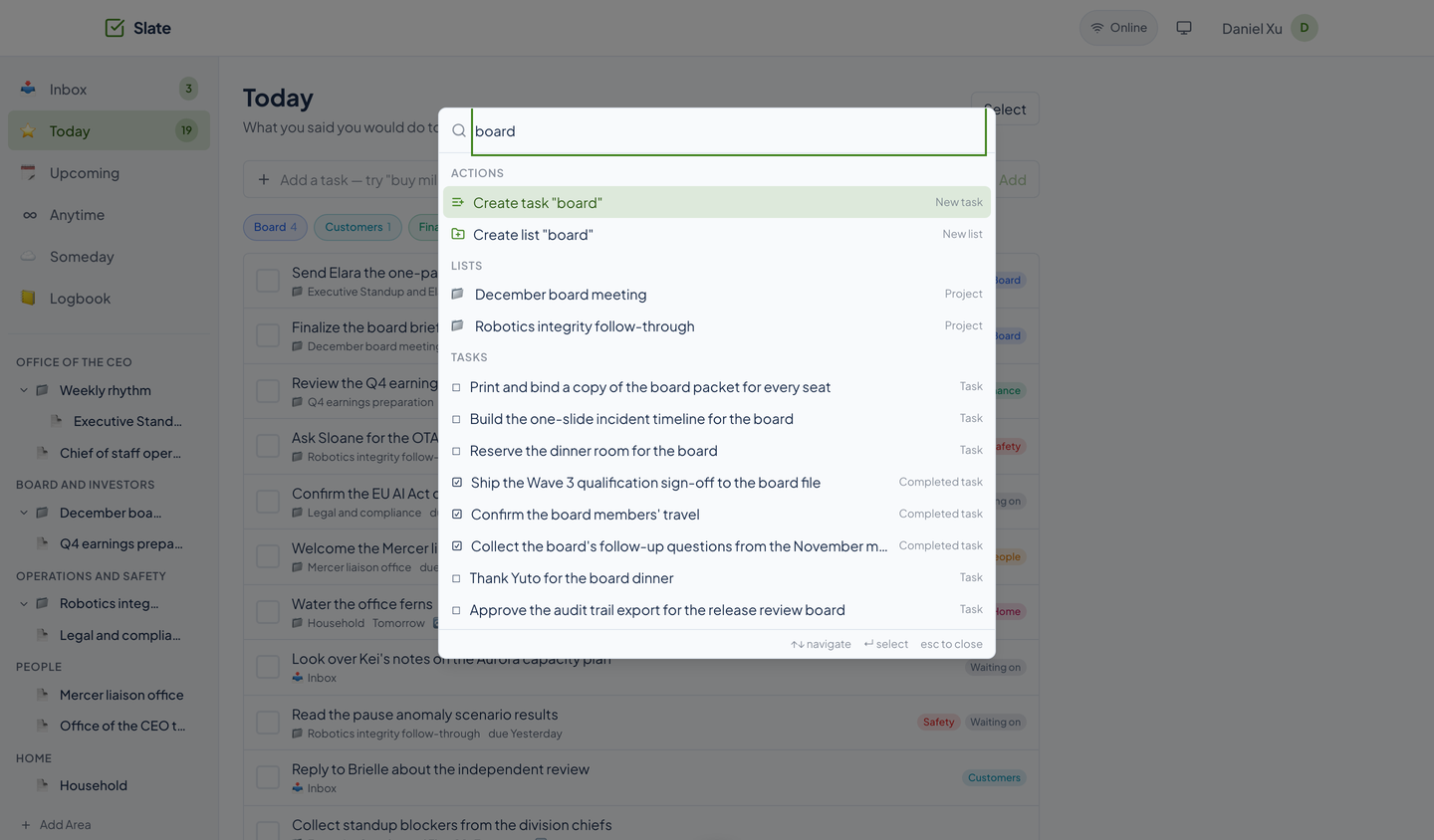
Control K: “Control K.” The command palette finds lists and tasks, with ten results marked one by one: two lists, five open tasks, and three finished ones, each labeled Completed task.
Check it off: “Check it off.” A repeating task, watering the office ferns every 3 days, leaves Today, which drops from 19 to 18. “The next turn, lined up.” Its next row sits in Upcoming, three days out on Saturday.
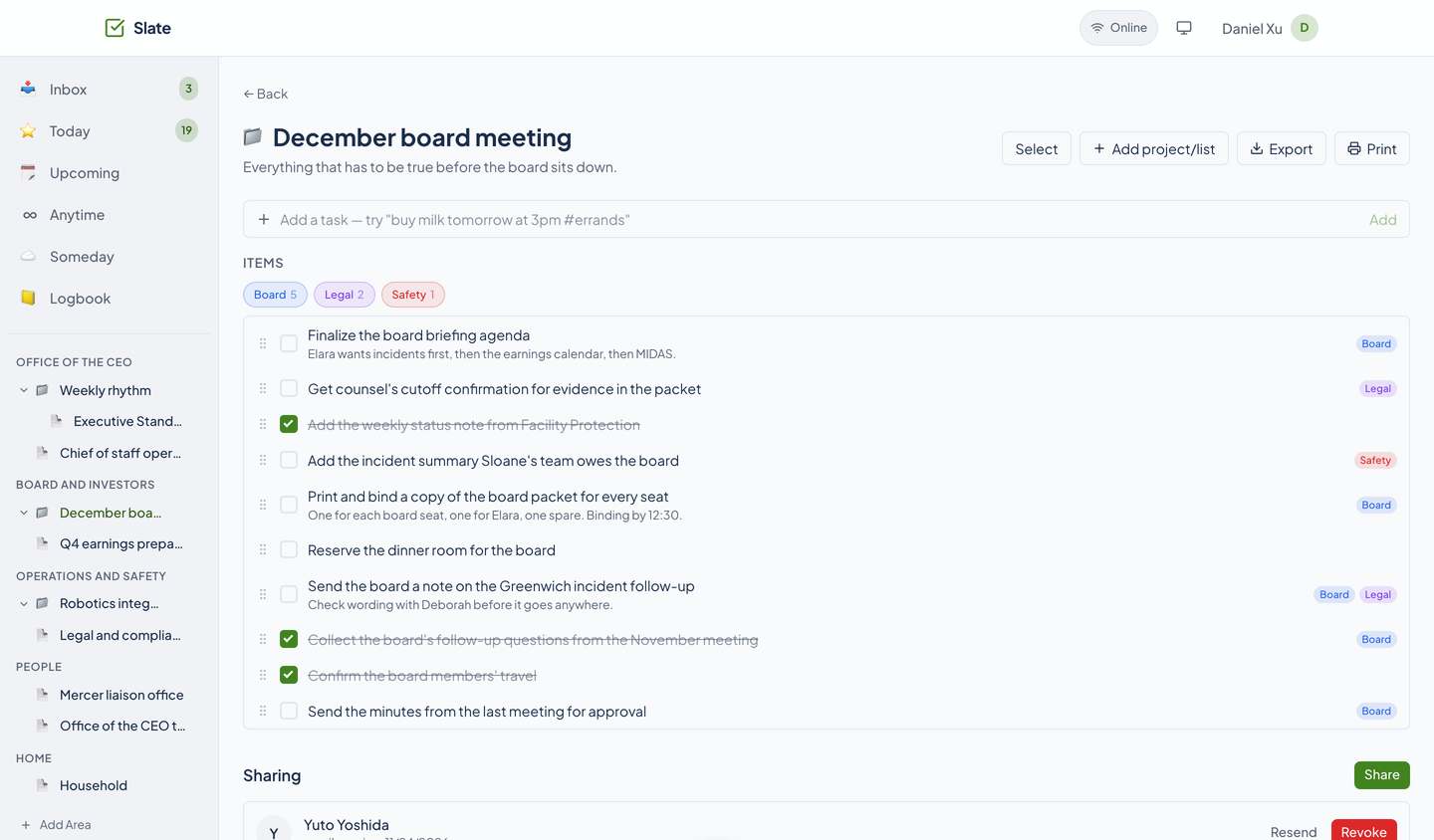
Share one project: “Share one project.” A drawn card for the December board meeting sends a link to a drawn phone. The scene is labeled as an illustration, and the project is shared from Daniel's contacts.
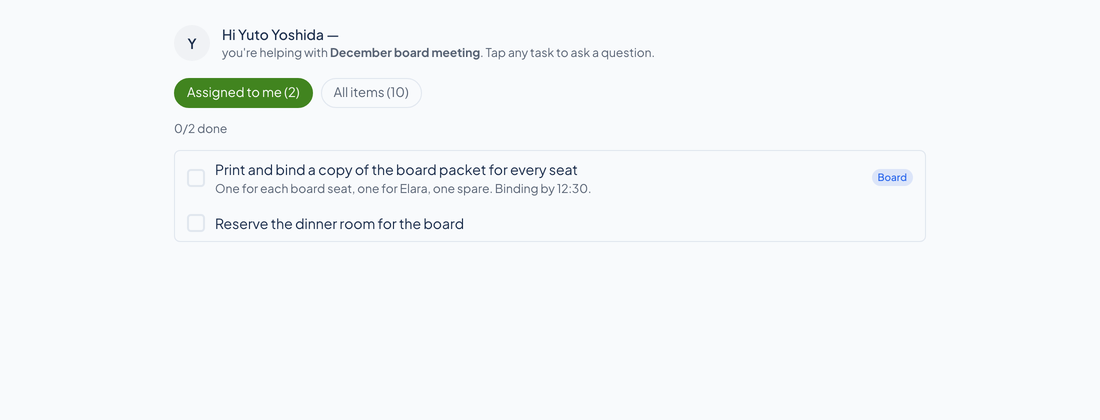
No account: “No account.” The real guest page a helper opens from the link: Yuto Yoshida's greeting, two tasks assigned to him out of the ten in the project, and nothing else of Daniel's. There is no sign-in on the way.
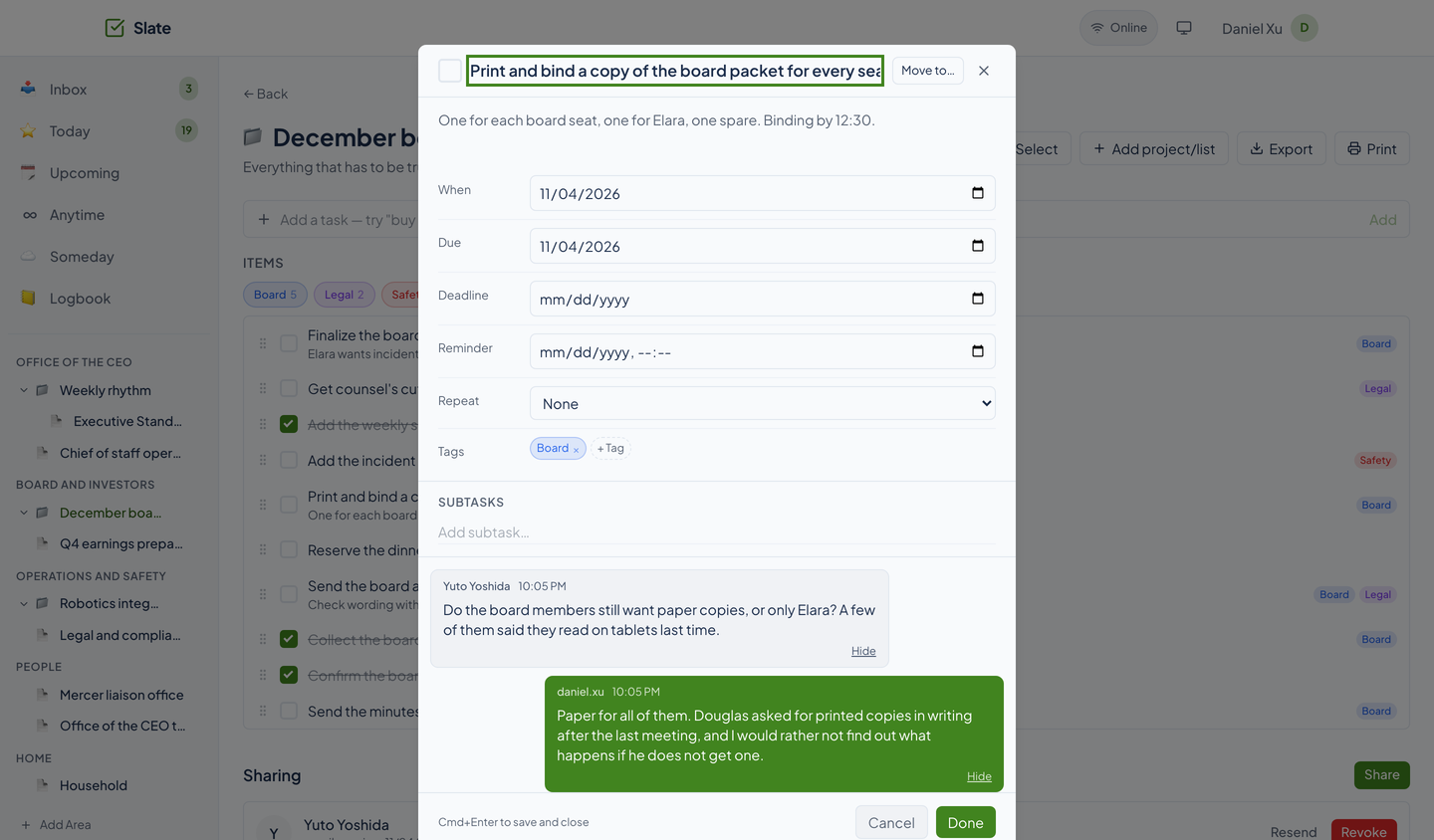
Ask on the task: “Ask on the task.” Yuto asks whether the board members still want paper copies; Daniel answers on the task. A third message, Yuto's reply, is ringed: three messages that nobody digs through email to find later.
An assistant can too: “An assistant can too.” A drawn card, labeled as an illustration, names four of Slate's 74 agent tools: quick_add, smart_view_today, create_share, and post_item_message. The close reads, “Keeps the day short. A helper needs a link,” then the end card with the mark, the name, and the tagline.
A task list that starts fresh every day
Slate is a daily tracker with the semantics of the tools people already trust: an Inbox, a Today you can finish, and a Logbook that remembers. Areas hold projects, projects hold lists and tasks, and guests help from a link.
Six views, and one that is today
Smart views
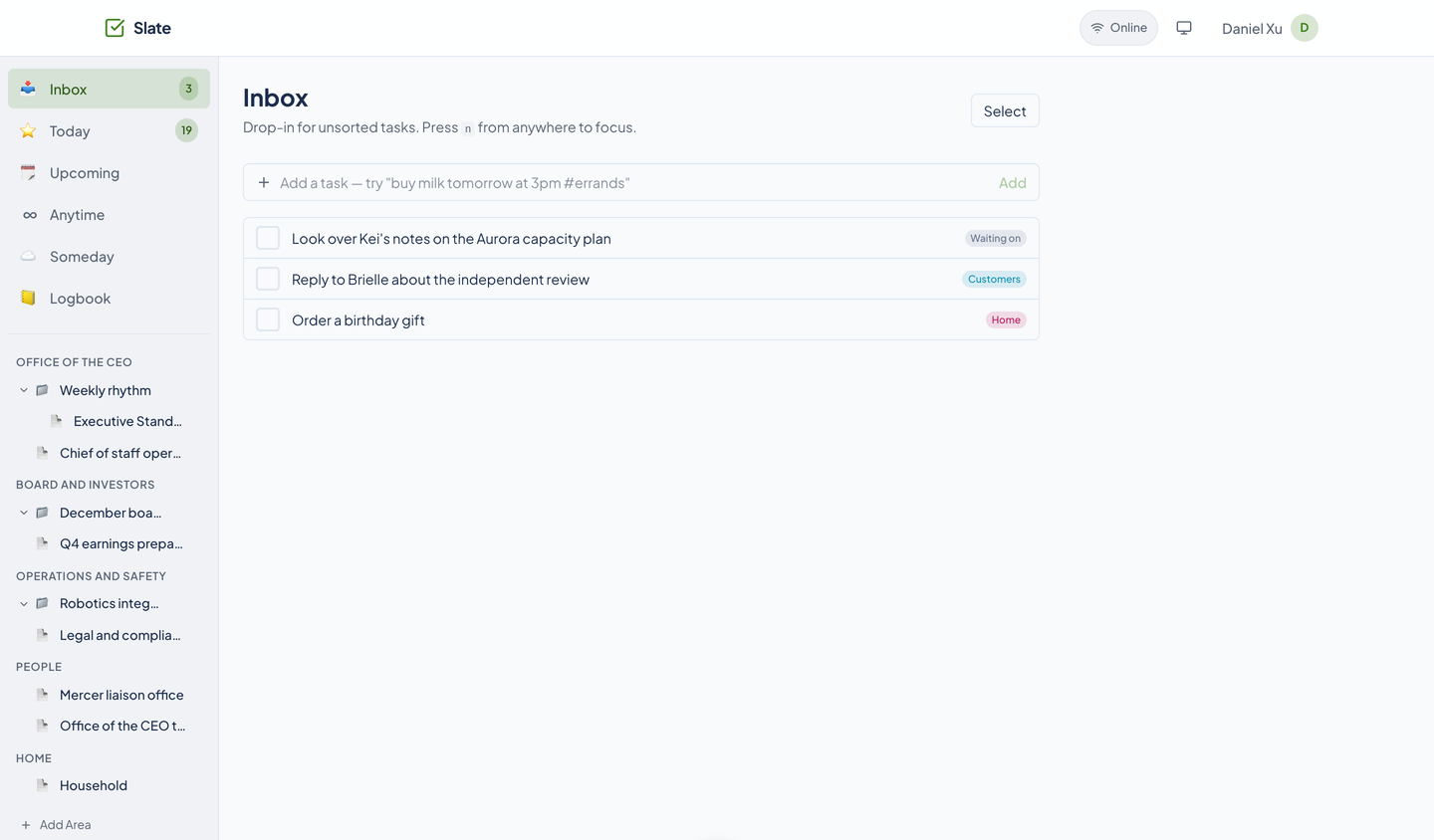
Inbox, Today, Upcoming, Anytime, Someday, and Logbook sit at the top of the sidebar. Today shows what you scheduled for today or earlier (by start date) and whatever is still in the Inbox. A due date alone does not put a task in Today. The Today count in the sidebar updates live over a WebSocket.
- Reminders
- Give a task a reminder time and snooze it 10 minutes, an hour, or until tomorrow. Due reminders go out as web push and appear live in the app.
Quick Add that reads
Type a sentence. Slate pulls out a date (today, tomorrow, in 3 days, next week, a weekday), a time (at 3pm), a repeat (every other Tuesday), #tags, and an @area//list to put it in, then shows what it understood.
- Repeating tasks
- A repeating task makes its next occurrence when you check the current one off, counted from the day it was scheduled or from the day you finished it. The rules follow the iCalendar format.
A command palette
Ctrl or Cmd+K searches your lists and tasks as you type, jumps to a view, and offers to create a task or a list from what you typed. Arrow keys, Enter, and Escape drive it.
Areas, projects, lists, and the tasks inside
Areas, projects, and lists
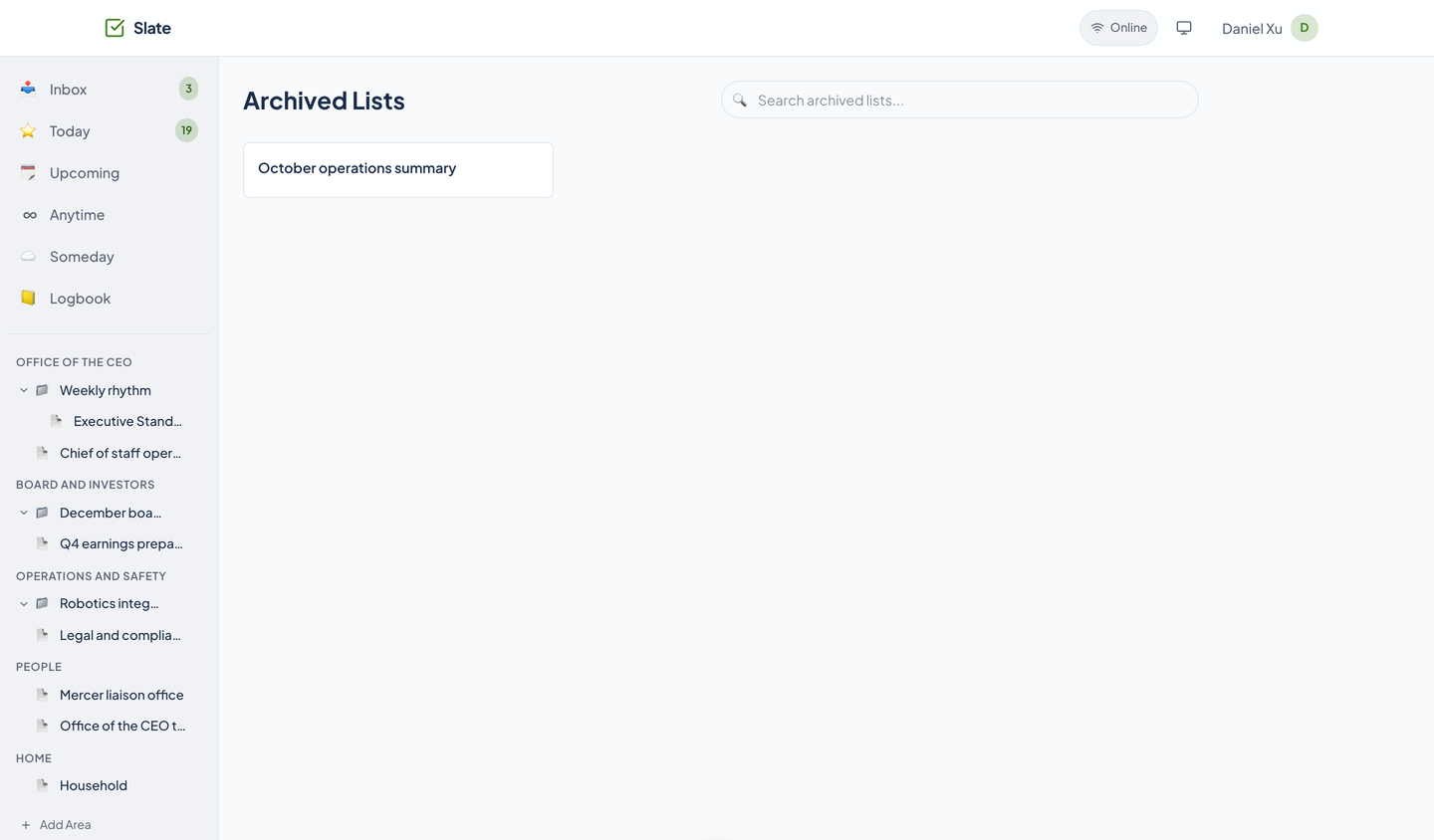
One kind of node does both jobs: a project or a list, nested under an area. Move one, archive one, or restore it from Archived.
- Select, drag, undo
- Select several tasks and act on them together, drag a handle to reorder inside a project, and undo a delete from the toast that follows it.
- Export and print
- Export a project as CSV or JSON, or print it from the browser with a print stylesheet that drops the app around it.
Tasks with detail
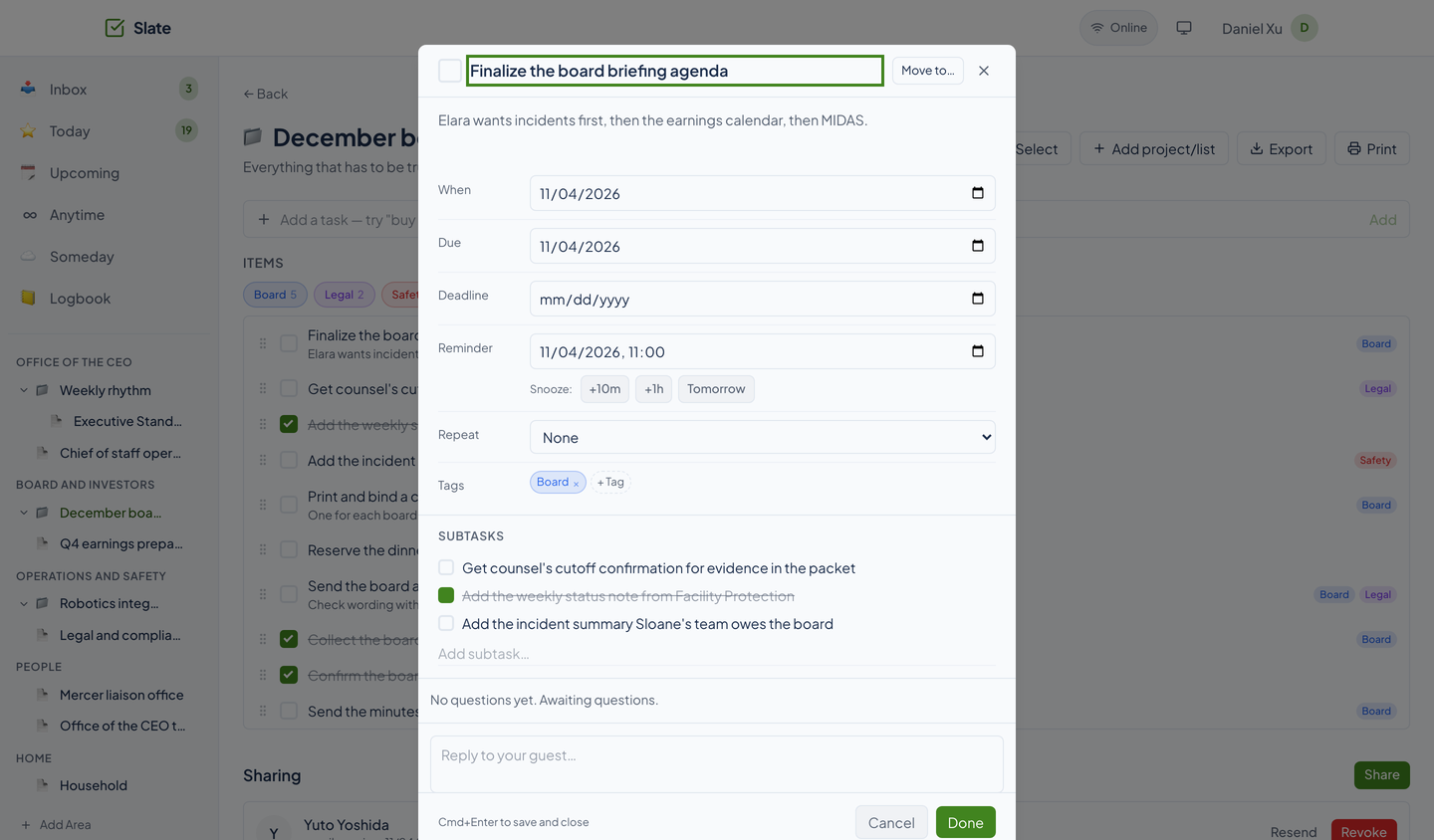
Each task has a name, a description, a start date, a due date, a hard deadline, a reminder, a repeat, tags, subtasks, and a thread. Cmd or Ctrl+Enter saves, Escape closes.
Tags
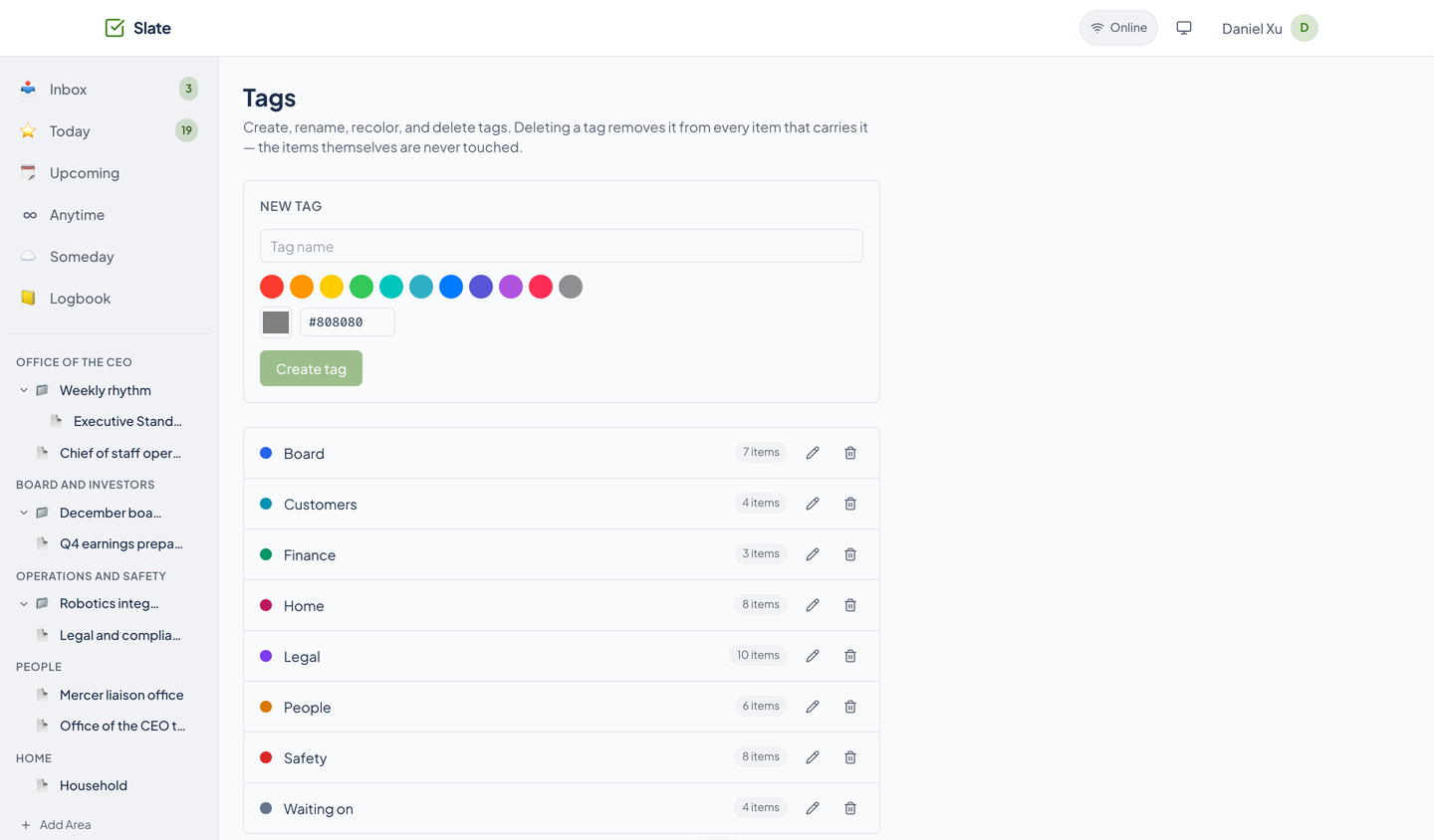
Colored tags that belong to you, a manager page with usage counts, and chips on every view and project to filter by.
Templates
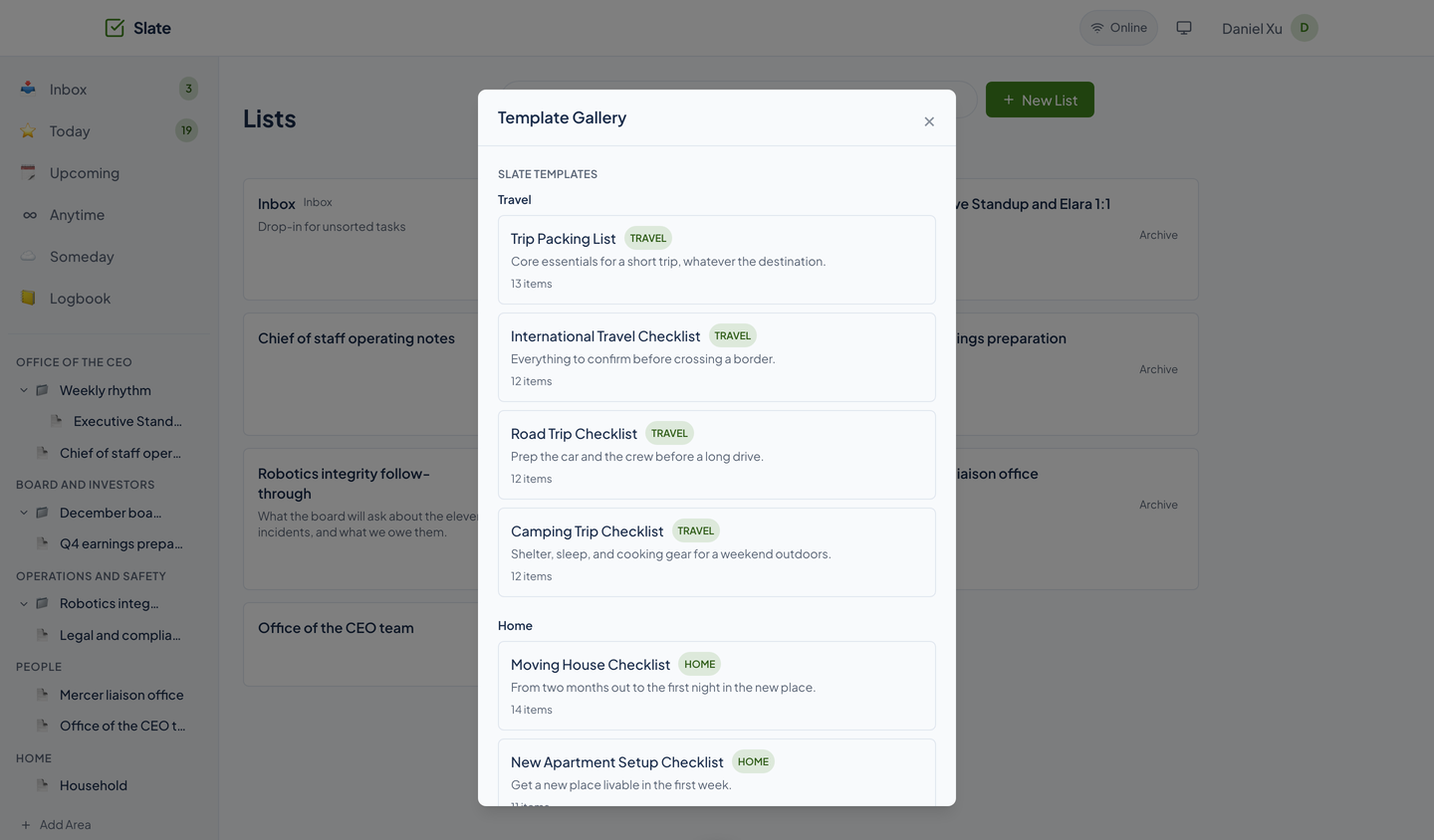
26 starter lists ship with Slate, grouped as Travel, Home, and more. Pick one and it becomes a list of your own.
Help from a link, not an account
Guest sharing
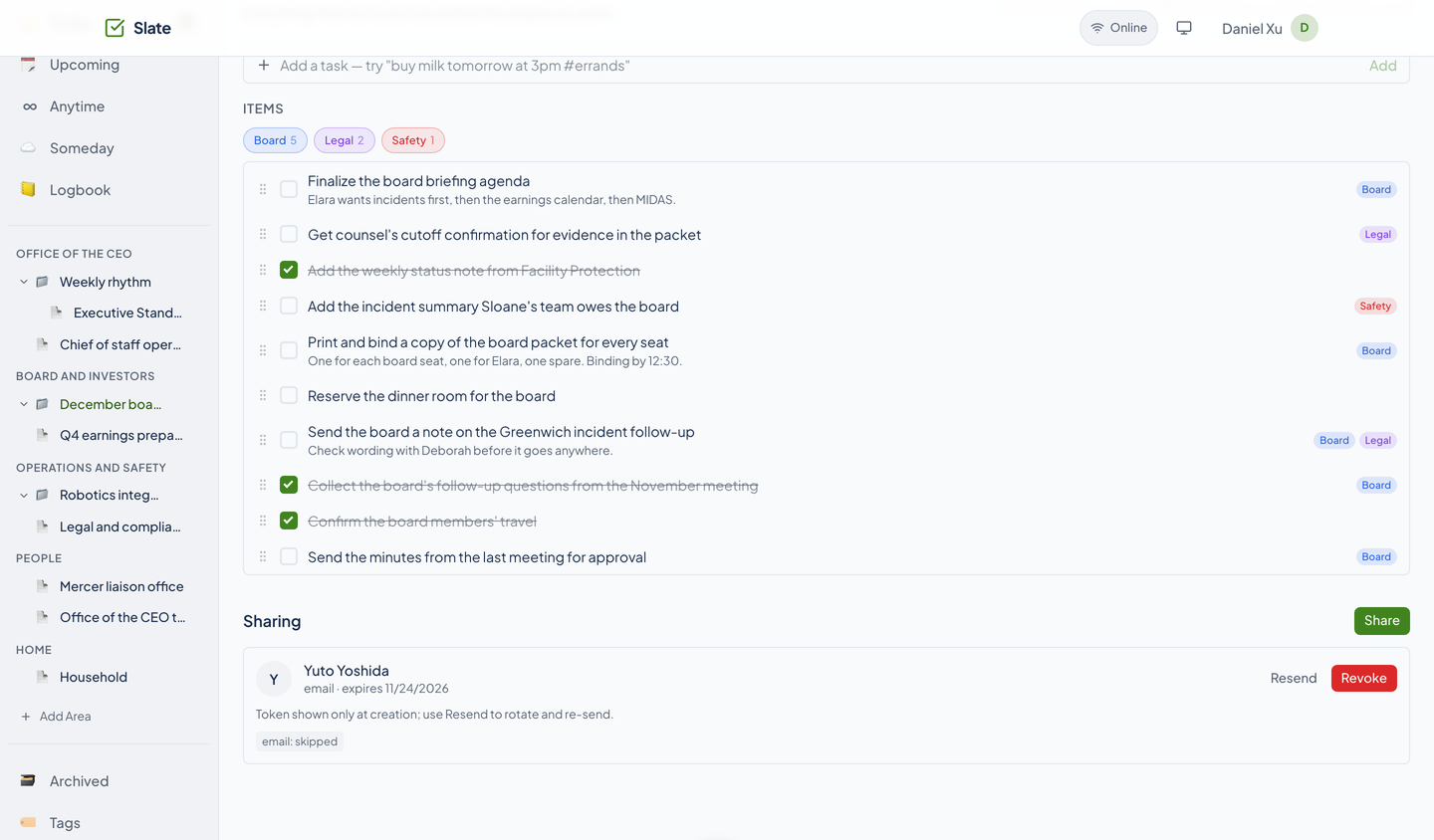
Share a project with someone from your Tribe contacts. They get an email or text invitation and a link, with an expiry you can see, resend, or revoke. The activity log keeps who did what.
Assigned tasks
Assign tasks to a guest. They see only the shared project, tick off what is assigned to them, and ask a question on any task.
Threads on tasks
Every task carries a conversation between you and the guest, with read receipts, a chime, desktop notifications, and photo or PDF attachments up to 10 MB each.
- Chirp conversations
- A project can carry a Chirp conversation that you and your guests both see, when the service is set up for it.
Bring your history, connect your tools
Things import
Upload a Things 3 database. Areas, projects, headings, tasks, checklist items, and tags come across, and Slate tells you how many trashed and canceled items it skipped.
Docket and Packed
Turn a Docket board column into a list and keep the two in sync, or import a Packed list as a project.
- Works offline, within limits
- Adding a task and checking one off while you are offline are queued on your device and replayed when you reconnect, without making a duplicate. Nothing else is queued.
- Agents and API
- Per-user sk_ keys and a 74-tool MCP server let an agent read and run your lists, send a share, and answer a guest.
See it in light and dark
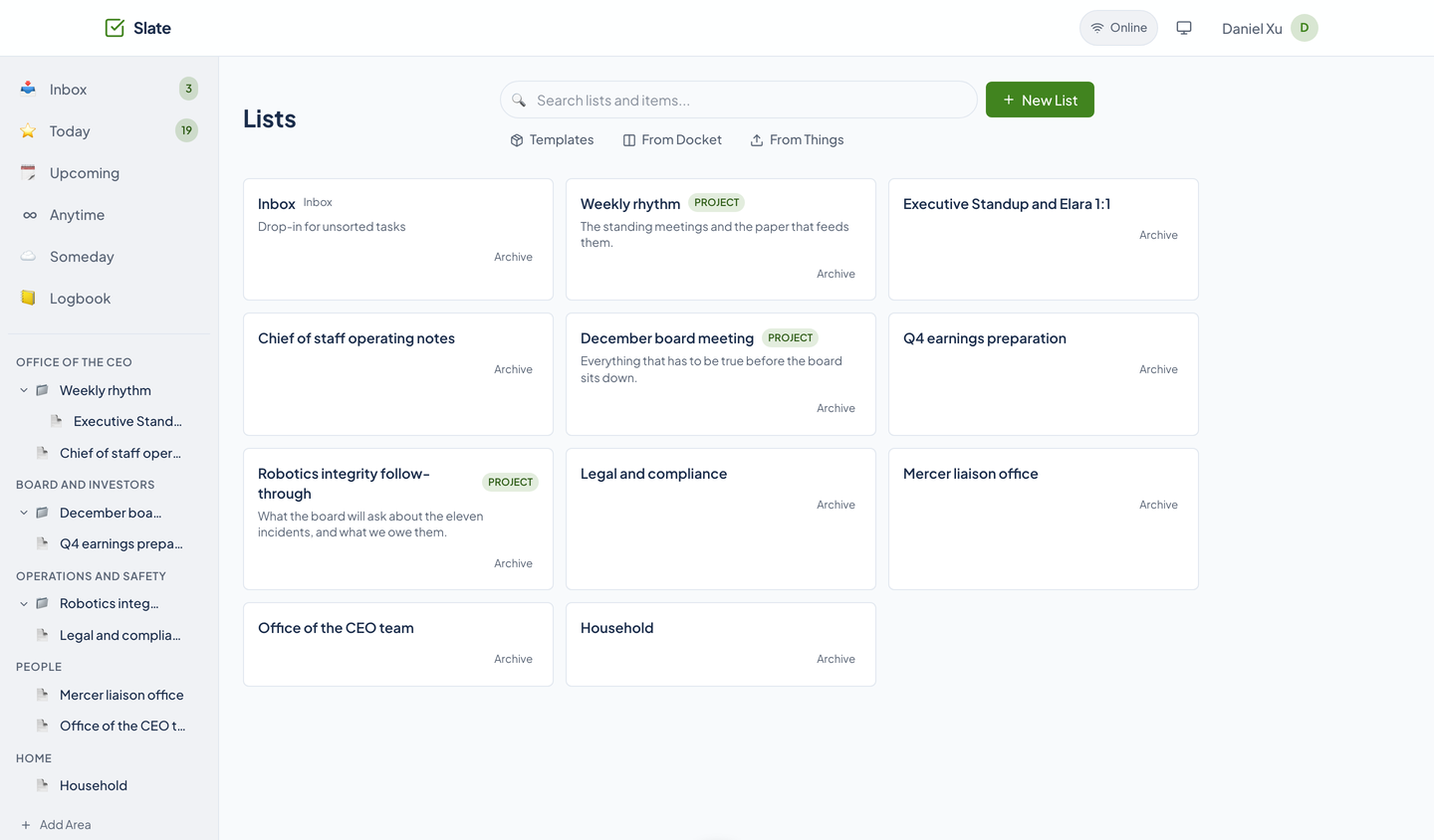
Real captures of the running tool, with fictional StrataForge Robotics data. They follow your theme.
From a thought to done
Capture
Press n and type a sentence. It lands in the Inbox, or in the project you named, with its date and tags already read.
Plan
Give it a start date, a due date, or a repeat. Park it in Someday, or leave it in Anytime until it matters.
Do
Open Today, check things off, and let anything repeating schedule its next turn. Snooze a reminder if you need more time.
Share
Hand a project to a guest, assign them tasks, and answer their questions on the task itself. The Logbook keeps what got done.
Built so everyone can use Slate.
Slate is a web app, and this is what a live run showed on 10/29/2026. It has a skip link, labeled landmarks, keyboard shortcuts that work (n, Ctrl or Cmd+K, Escape, Enter, Space), and focus that returns to a task after you close it. An axe scan of the running app still finds real violations in light and dark, listed below, and nobody has used it with a screen reader. We do not claim a conformance level.
Partly supported
Keyboard operation
A Playwright run walked the paths that matter most and all twelve steps worked: the first Tab stop is a "Skip to main content" link; n focuses the Quick Add bar from anywhere; Ctrl or Cmd+K opens the command palette, the arrow keys move through results, and Escape closes it; Tab reaches a task's check box and Space checks and unchecks it; Enter on a task's details button opens the inspector with focus inside it, and Escape closes it and puts focus back on that task. Nobody has walked sharing, bulk select, drag to reorder, or the template gallery with only a keyboard, and each task row is a button that holds a check box, which axe flags.
Not yet tested
Screen reader landmarks and labels
Nobody has used Slate with VoiceOver, NVDA, or any other screen reader. The page has one main landmark, navigation landmarks, and a banner, check boxes are named for their task, and decorative icons are hidden, but axe flags task rows whose spoken name ("Open details for ...") does not contain the text shown, and a row that holds another control. How a row reads aloud is unknown.
Partly supported
Contrast in light and dark
Accent-colored text on the accent's own tint used to measure 2.8 to 3.5 to 1 in light and 3.1 to 4.2 to 1 in dark. It now uses a darker (light mode) or lighter (dark mode) ink that measures better than 4.5 to 1 on the darkest tint, and the Archive text and template labels were raised to full-strength muted text. The live scan still finds contrast failures in every view except Tags: tag chips draw each tag's own color on a tint of itself (blue 4.35 to 1 and cyan 3.15 to 1 in light), and a few small badges are short of 4.5 to 1.
Partly supported
Reduced motion
The design system's global stylesheet shortens animations and transitions to almost nothing when the system asks for reduced motion. Slate's own stylesheet has no reduced-motion rule, and this was read from the stylesheet, not checked in a browser with the setting turned on.
Not yet tested
Text resize and zoom
Nobody has tested Slate at larger text sizes or browser zoom. Some labels are set at 10 to 11 pixels, so large text may crowd or clip them.
Partly supported
Mobile and touch
At 375 pixels wide, none of the twelve scanned states overflowed the page sideways, in light or dark. Targets such as the task check box were raised to 24 pixels, the least WCAG 2.2 asks for, not the 44 the fleet aims for. Nobody has reviewed each view on a phone by eye.
Under the hood
| Backend |
|
|---|---|
| Frontend |
|
| Tasks |
|
| Access |
|
| Agents and API |
|
| Quality |
|
| Stands in for | Things, Todoist |
Part of the Renkara fleet
- Cadence
Cadence shows your Slate tasks on a calendar, and checking one off there checks it off in Slate.
- Tribe
Guests come from your Tribe contacts: you search for a person, and Slate sends the invitation.
- Docket
A Docket board column becomes a Slate list, kept in sync both ways.
- Packed
Import a Packed list as a Slate project.
- Chirp
A project can carry a Chirp conversation for you and your guests.
Built for agents as well as people
Slate ships an MCP server so a coding or planning agent can run your day: add a task from a sentence, read Today, move a list, send a share, answer a guest, or import a Things database.
Lists and areas
list_listscreate_listget_listupdate_listdelete_listarchive_listexport_listget_list_treeget_inboxmove_listlist_areascreate_areaupdate_areadelete_area
Tasks
create_itemupdate_itemdelete_itemcheck_itembulk_update_itemsquick_add
Smart views and search
smart_view_todaysmart_view_upcomingsmart_view_anytimesmart_view_somedaysmart_view_logbooksmart_view_today_countsearch
Tags and templates
list_tagscreate_tagupdate_tagdelete_taglist_templatescreate_list_from_template
Threads and attachments
get_item_threadpost_item_messagemark_thread_readhide_messagelist_item_attachmentsupload_item_attachmentget_attachment_url
Sharing
list_sharescreate_shareupdate_sharerevoke_shareresend_sharebulk_assign_items_to_sharesearch_tribe_contactsget_tribe_contact
Guest side of a share
get_shared_listtoggle_shared_itempoll_shared_itemsget_shared_item_threadpost_shared_item_messagemark_shared_thread_readlist_shared_item_attachmentsupload_shared_item_attachmentget_shared_attachment_urlget_shared_chirp_embed
Docket, Chirp, and Things
list_docket_boardslist_docket_board_columnscreate_list_from_docketsync_docket_listget_list_chirp_embedimport_things_database
Account and health
create_api_keylist_api_keysrevoke_api_keyget_user_profileupdate_user_profileexport_user_datadelete_accountwhoamicheck_service_healthget_diagnostics
On iPhone, iPad, and Mac
- Slate for iPhone and iPadiOS and iPadOS, SwiftUI
In development and not on the App Store. Its code covers sign-in, the sidebar, smart views, search, task edits, live updates, Tribe shares, and task threads with attachments. There are no screenshots of it on this site.
- Slate for MacmacOS, SwiftUI
In development and not released. The foundation is built: secure sign-in and restore, and a three-pane workspace shell. There are no screenshots of it on this site.
Questions people ask
Can I use Slate today?
Slate is in preview. This site shows it running locally on a fictional company's data. To ask about access, write to fleet@renkara.com.
Who is Daniel Xu, and whose tasks are these?
Every screenshot shows the tasks of Daniel Xu, Chief of Staff at StrataForge Robotics, the fictional company from the novel The Deferral. The tasks, projects, and people are made up. No real task list appears anywhere on this site.
Does a guest need an account?
No. A guest opens the link from their email or text and sees only the project you shared. They can tick off the tasks assigned to them and ask a question on any task.
Does Slate work offline?
In a narrow way. The app keeps working from what you already loaded. Adding a task and checking one off are queued on your device and replayed when you reconnect, and a replay never makes a duplicate. Edits, moves, and deletes are not queued.
Does it know my time zone?
Yes. The web app sends your browser's time zone with every request, so Today, Upcoming, and overdue follow your own day, and Quick Add reads a time like 3pm as 3 PM where you are. Slate saves that zone on your profile, so an agent working through MCP gets the same day.
Can I use richer repeat rules than the editor offers?
Yes, through Quick Add, the API, and the agent tools. The Repeat menu in the task editor offers None, Daily, Weekly on chosen weekdays, and Monthly, but the engine underneath handles intervals, ordinals such as the second Tuesday, counts, and end dates.
Is there a phone app?
Not one you can install. The web app has a phone layout. Native iPhone, iPad, and Mac apps are being built and are not released.
Questions about this tool?
Write to Renkara Media Group and a person will answer.