
Help from a link.
The person helping you does not need an account, a password, or the app. You share one project, they open a link, and everything they ask or answer stays on the task it is about. Every image here is a real capture of Slate on the fictional StrataForge Robotics project of Daniel Xu.

Share one project
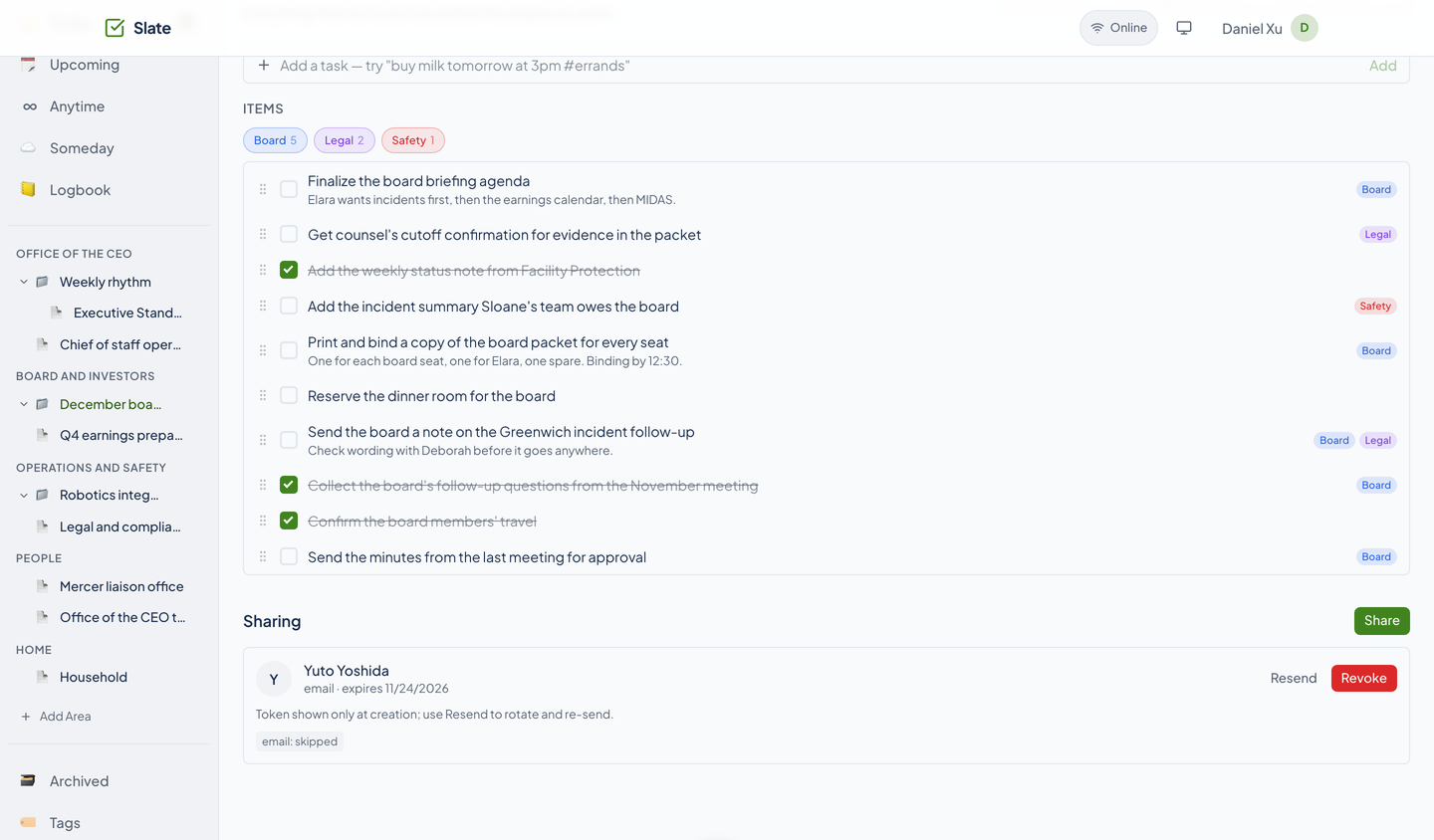
On a project page, the Sharing section lists who can see it. Choose Share, search your Tribe contacts by name or email, and Slate sends an email or a text with a link. Each person shows with how they were invited, when the invitation expires, and Resend and Revoke buttons.
The link carries the access, so Slate shows it only once, when it is made. Resend replaces it with a fresh one. A project holds up to 25 active guests by default, and invitation texts are capped per person per day.
What a guest sees
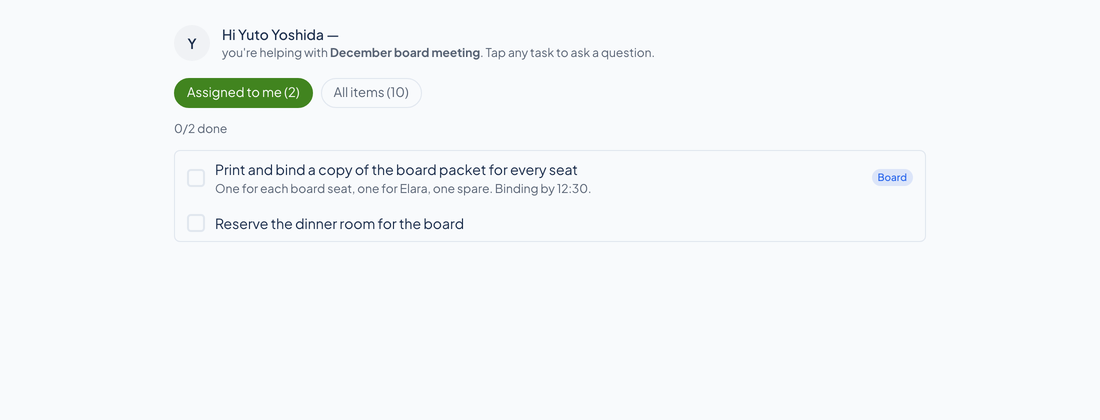
A guest sees only the shared project. A tab shows the tasks assigned to them, and another shows every item. They tick off what is assigned to them, and they can tap any task to ask a question. They cannot see your other lists, and they cannot change anything but those answers.
A thread on every task
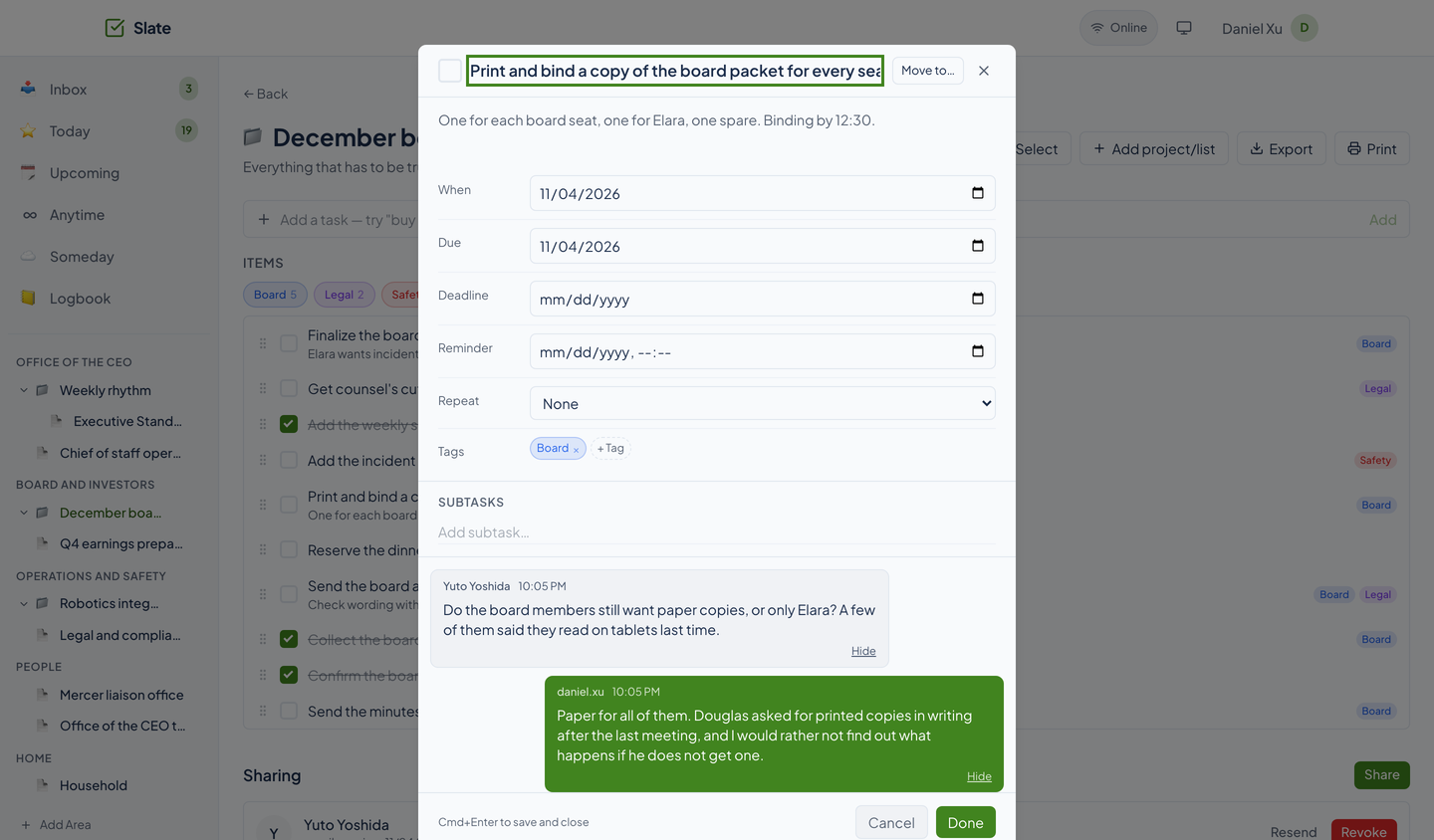
A question from a guest lands on the task it is about, and your reply goes back on the same thread. Messages carry read receipts, and you can hide one. Either side can attach a photo or a PDF, up to 10 MB each.
While the app is open, a new message plays a chime and can raise a desktop notification.
A conversation for the whole project
A project can also carry a Chirp conversation that you and your guests both see inside Slate. It appears only when the project is bound to a Chirp channel and the Chirp service is configured; the web app has no control for binding one.
Questions about this tool?
Write to Renkara Media Group and a person will answer.