
Bring your lists, and let an agent run them.
Slate does not want to be your only tool. It imports from the one you may be leaving, mirrors the ones your team already uses, and exposes everything to an agent. Every image here is a real capture of Slate on the fictional StrataForge Robotics tasks of Daniel Xu.
Start from somewhere
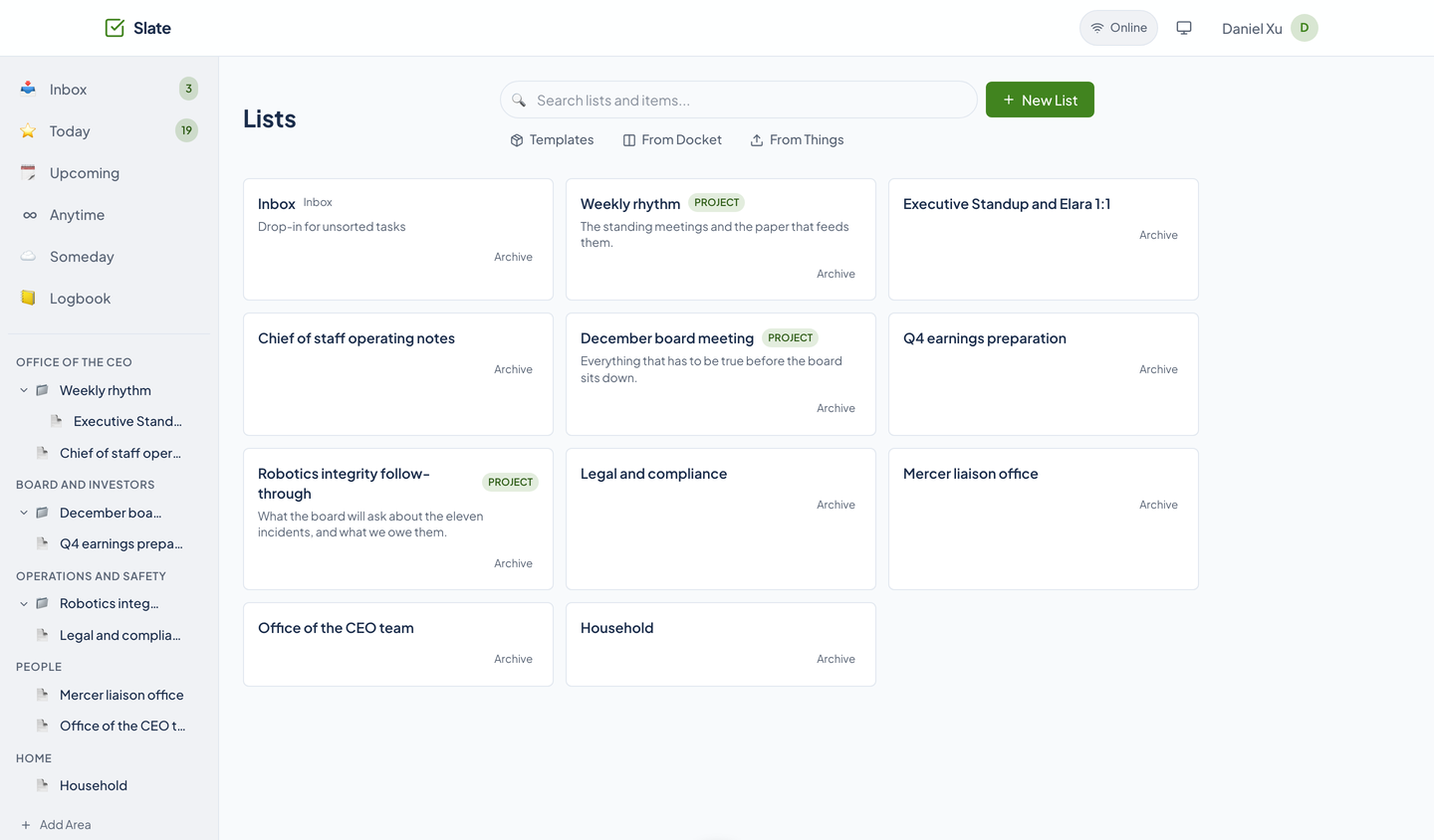
The Lists page has three ways to start besides a blank list: Templates, From Docket, and From Things.
Things import
Upload a Things 3 database. Areas become areas, projects become projects, headings become lists, tasks become tasks, checklist items become subtasks, and tags come across. Trashed and canceled items are skipped, and Slate shows you how many.
Docket columns
Turn a column of a Docket board into a Slate list. Cards become tasks, and changes sync in both directions. You give Slate your Docket key on the Profile page first.
Packed lists
Import a Packed list as a project, with its containers as lists. It is a one-time import, not a sync. The key goes on the Profile page too.
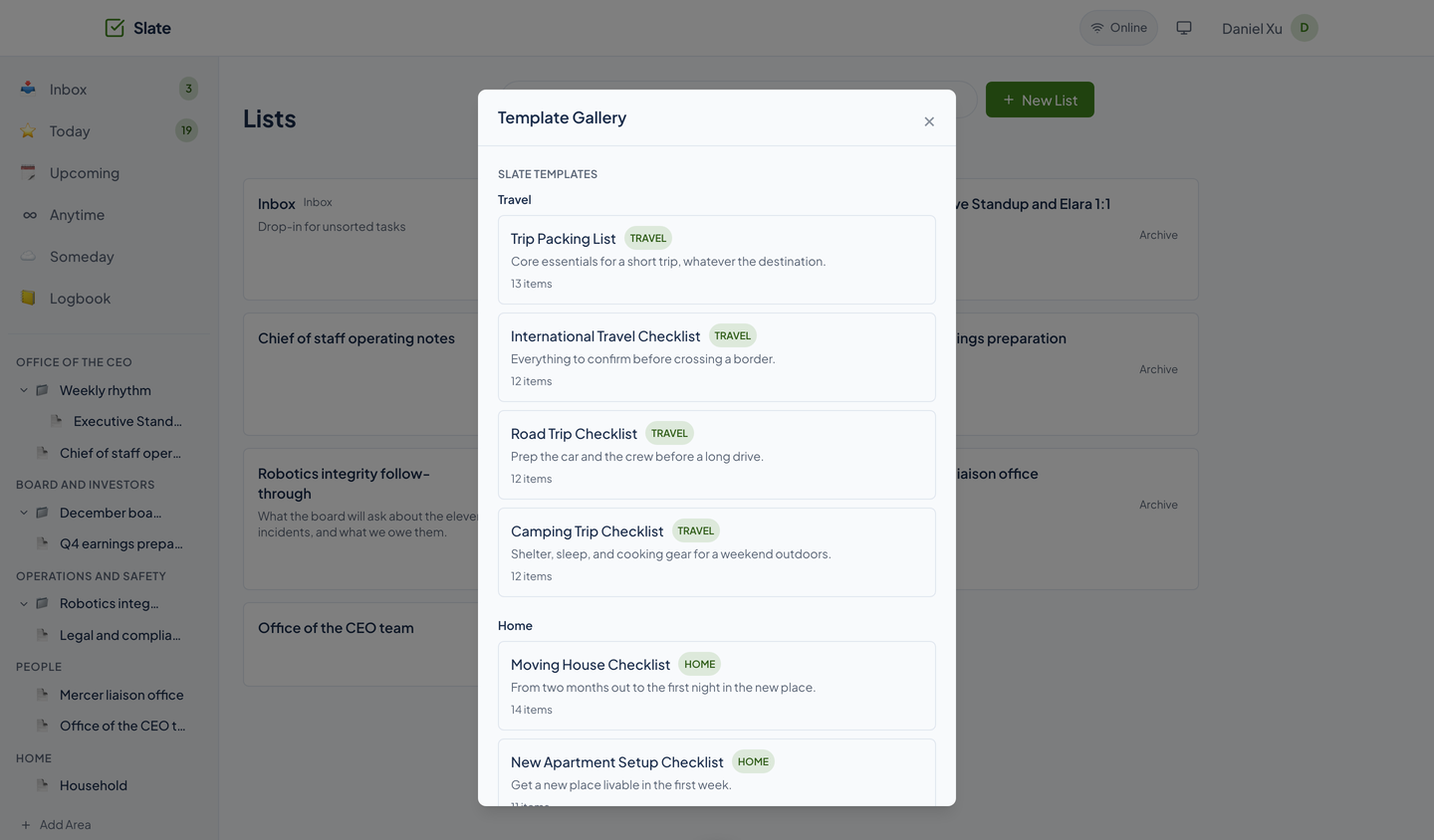
Starter templates
26 built-in templates, grouped as Travel, Home, and more, each with an item count. Pick one and it becomes a list you can change.
Around the fleet
- Cadence can show your Slate tasks on a calendar, and checking one off in Cadence checks it off in Slate.
- Tribe supplies the contacts you share projects with.
- Docket and Packed are the sources above.
- Chirp carries an optional conversation for a project.
Agents and the API
Slate has a per-user API key, starting with sk_, for the API and for agents. Keys are stored hashed. You create, list, and revoke them through the API; there is no screen for it.
The MCP server has 74 tools, listed on the home page. They cover every list, task, view, tag, share, thread, attachment, and import, plus the guest side of a share, so an agent can add a task from a sentence, read Today, send a share, or answer a guest.
quick_add          add a task from a sentence
smart_view_today   read what is on for today
create_share       share a project with a contact
post_item_message  answer a guest on a task
The native apps
An iPhone and iPad app and a Mac app are being built on a shared Swift package, slate-kit. Neither is on the App Store, and they have no screenshots on this site.
Questions about this tool?
Write to Renkara Media Group and a person will answer.